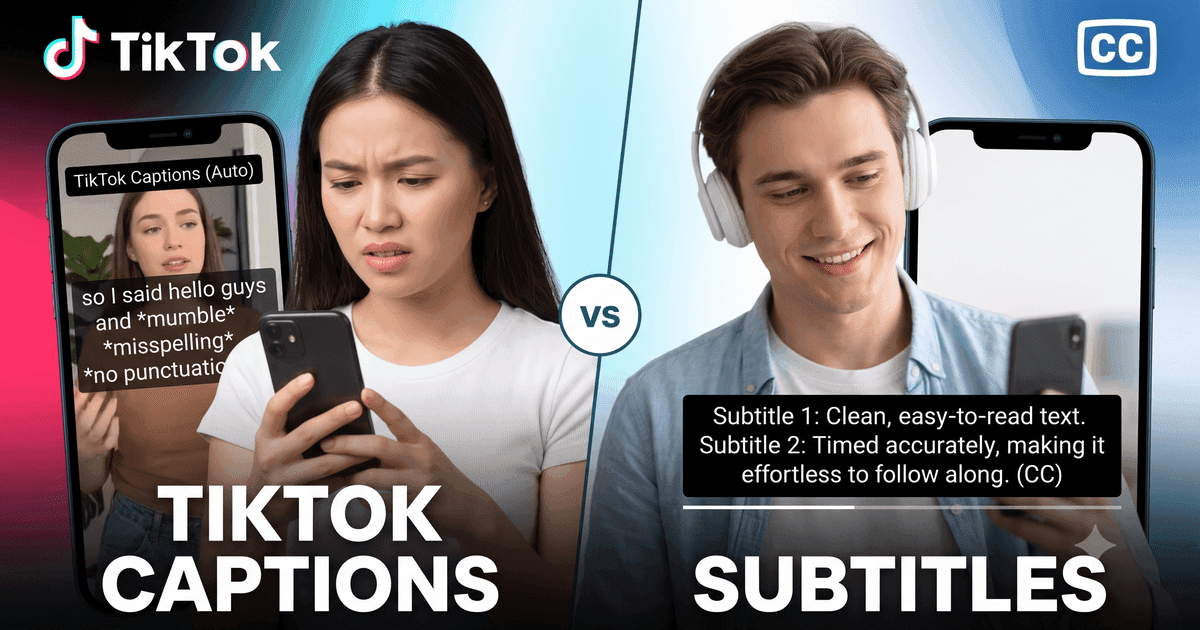
TikTok Captions vs Subtitles
What's the difference between captions and subtitles on TikTok? This comprehensive guide explains closed captions vs open captions, auto-generated vs manual subtitles, and how each type serves different purposes on the platform.
Difference Between Captions and Subtitles on TikTok
The difference between captions and subtitles TikTok comes down to purpose and audience:
- Captions — Designed for deaf/hard-of-hearing viewers. Include ALL audio information: dialogue, sound effects, music descriptions, speaker identification
- Subtitles — Designed for viewers who can hear but need text translation. Typically only include spoken dialogue, often translated into another language
On TikTok specifically, the lines are blurred because the platform uses "captions" to refer to what are technically subtitles (text display of spoken words without sound descriptions).
TikTok Closed Captions vs Subtitles
Understanding TikTok closed captions vs subtitles:
| Feature | Closed Captions | Subtitles |
|---|---|---|
| Target audience | Deaf/hard-of-hearing | Hearing viewers (different language) |
| Sound effects | Included (e.g., [music], [applause]) | Not included |
| Speaker ID | Identifies who is speaking | Usually not included |
| Toggle on/off | Yes (closed = can be turned off) | Depends on implementation |
| Language | Same as spoken audio | Often translated |
What Are Subtitles on TikTok vs Captions
What are subtitles on TikTok vs captions in practice? On TikTok, you'll encounter several types of text on screen:
- Auto-captions — TikTok's AI-generated text from speech (called "captions" by TikTok)
- Creator-added text — Manual text overlays added during editing
- Subtitle stickers — TikTok's built-in subtitle feature
- Third-party subtitles — Added via external editing apps like CapCut
TikTok Auto Captions vs Traditional Subtitles
TikTok auto captions vs traditional subtitles differ in key ways:
- Auto captions — Generated by AI, instantly available, can be toggled on/off, may have errors
- Traditional subtitles — Manually created, burned into the video, always visible, typically more accurate
Auto-captions are great for accessibility at scale, but traditional subtitles offer more creative control and accuracy. Many successful TikTok creators use both: auto-captions for accessibility and styled text overlays for engagement.
Subtitles vs Closed Captions on TikTok
When comparing subtitles vs closed captions on TikTok, the key distinction is control:
- Closed captions — Can be turned on/off by the viewer in TikTok's settings
- Open captions/subtitles — Permanently embedded in the video, visible to all viewers
TikTok's auto-generated captions are technically "closed" because users can toggle them. Creator-added text overlays are "open" because they're part of the video itself.
TikTok Caption Style vs Traditional Subtitles
TikTok caption style vs traditional subtitles shows a clear evolution in text presentation:
- TikTok style — Bold, colorful, animated, word-by-word highlighting, positioned for engagement
- Traditional style — White text on black background, centered at bottom, static
The TikTok caption style has influenced the entire video industry. Apps like CapCut now offer animated caption styles that mimic TikTok's aesthetic for use on other platforms.
TikTok Subtitles with Emojis vs Plain Text
TikTok subtitles with emojis vs plain text is a style choice creators face:
- Emoji subtitles — More engaging, trend-friendly, appeal to younger audiences, but less accessible
- Plain text — More professional, easier to read, better for accessibility, preferred for informational content
Pro tip: Use emojis sparingly in captions. They add personality but can make text harder to read quickly, especially for viewers with cognitive or visual impairments.
Caption vs Subtitle Definition on TikTok
Clear caption vs subtitle definition on TikTok:
- Caption (on TikTok) — The text description you write when posting a video. Also refers to the auto-generated speech-to-text feature
- Subtitle (on TikTok) — Visual text overlay showing what's being said in the video, either auto-generated or manually added
Note: TikTok uses "caption" for two different things — the post description AND the auto-generated speech text. Context determines which meaning applies.
Closed Captions vs Open Captions TikTok
Closed captions vs open captions TikTok explained simply:
- Closed captions — TikTok's auto-caption feature. Viewer can turn on/off. Not part of the video file itself
- Open captions — Text burned into the video by the creator. Always visible. Cannot be removed
Best practice for creators: Enable closed captions (auto or manual) AND add styled open captions for maximum engagement and accessibility.
TikTok Captions for Hearing Impaired vs Subtitles
TikTok captions for hearing impaired vs subtitles serve different accessibility needs:
- For hearing impaired — Need complete audio description: dialogue + sounds + music + speaker ID. Closed captions are ideal
- For language learners — Need translated dialogue only. Subtitles in target language work best
- For sound-off viewers — Need dialogue text. Either captions or subtitles work
Our TikTok Transcript tool extracts whatever text is available — whether it's auto-captions, creator subtitles, or multi-language options — giving you the complete text representation of the video's audio content.
Which Should You Use as a Creator?
For maximum reach and accessibility on TikTok:
- Always enable auto-captions — Provides closed caption accessibility
- Add styled text overlays — Open captions for engagement
- Review for accuracy — Edit auto-captions when possible
- Keep it readable — Don't sacrifice clarity for style
- Consider all audiences — Hearing impaired, language learners, sound-off viewers
How to Extract Both Captions and Subtitles
Whether a TikTok video has auto-captions, creator-added subtitles, or both — our tool extracts them all. Simply paste the TikTok URL and download in your preferred format:
- TXT — Plain text, great for reading and repurposing
- SRT — Timed subtitles for video editing
- VTT — Web-standard captions for online video players
Extract captions and subtitles from any TikTok video — free, instant.